10 Best QR Code Menu Platforms for Restaurants in 2026

10 Best QR Code Menu Platforms for Restaurants in 2026
QR code menus have moved from a pandemic-era workaround to a permanent fixture of modern hospitality. In 2026, restaurants across Europe and beyond rely on digital menus to keep pricing accurate, showcase seasonal dishes, and — critically — stay compliant with EU allergen labelling regulations. But with dozens of platforms on the market, choosing the right one is harder than ever.
This guide benchmarks 10 leading QR menu platforms across five key criteria: ease of setup, design quality, allergen management, analytics, and pricing transparency. Whether you run a single neighbourhood café or a multi-location chain, you'll find the right fit below.
How We Evaluated Each Platform
Every platform in this list was assessed against five weighted criteria:
- Setup Speed (20%) — Can a non-technical restaurant owner publish a live menu within 30 minutes?
- Design & Customisation (20%) — Does the output look professional? Are branding options meaningful?
- Allergen & Compliance Tools (25%) — How well does the platform support the EU FIC Regulation 1169/2011 14-allergen disclosure requirement?
- Analytics (15%) — Are there actionable insights, not just vanity metrics?
- Pricing Fairness (20%) — Is the free tier genuinely usable? Are paid tiers transparently priced?
Note: Platforms were not evaluated on online ordering or POS integration features, as these fall outside the scope of a pure digital menu tool comparison.
1. QR Menu Generator — Best Overall for EU Allergen Compliance
Best for: European restaurants, cafés, and food businesses that need a fast, beautifully designed digital menu with built-in allergen management — and no technical headaches.
Overview
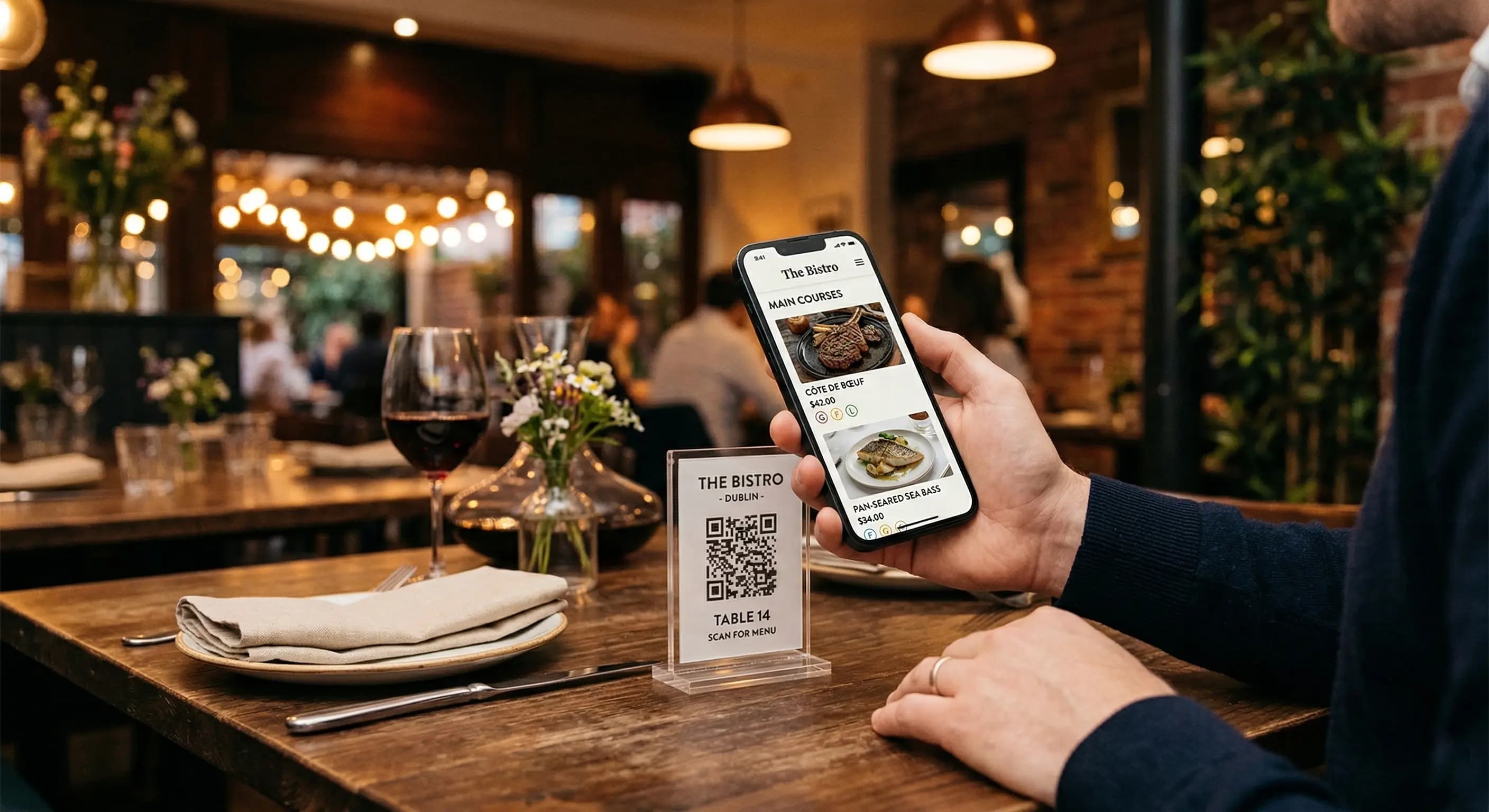
QR Menu Generator is purpose-built for the modern restaurant operator. Guests scan a QR code with any smartphone (no app download required) and instantly see a rich, branded digital menu. The platform's standout strength is its built-in allergen notification system, which allows owners to flag all 14 EU-regulated allergens per product — a compliance detail that many rival platforms treat as an afterthought.
Key Features
- Contactless Digital Menu: Guests access the live menu instantly by scanning a QR code — no app, no login, no friction. Works on all modern iOS and Android devices.
- Instant Updates: Changed a price, swapped a photo, or sold out of a special? Updates go live in seconds, across every printed QR code already deployed.
- 6 Premium Themes: Choose from six fully customisable themes with control over colours, fonts, and layout — so the digital menu matches your brand identity, not a generic template.
- Allergen Notifications: Attach allergen flags to individual products from a structured list, making EU FIC Regulation compliance straightforward and auditable.
- Statistics & Analysis: Track total menu views and identify your most-viewed products. Pro tiers unlock detailed analytics to guide menu engineering decisions.
- Category & Product Management: Build a structured menu with unlimited categories and products, add high-resolution images, and organise your offering intuitively.
- Multi-Branch Support: The Pro Plus plan enables centralised management across unlimited branches — ideal for chains and franchise operators.
Pricing
| Plan | Price | Highlights |
|---|---|---|
| Free | $0 / month | 1 restaurant, up to 10,000 monthly views, 5 categories, 20 products. No credit card required. |
| Pro | $9.90 / month | Unlimited categories & products, detailed statistics. |
| Pro Plus | $17.99 / month | Everything in Pro + unlimited branches, advanced statistics. |
Pros & Cons
- ✅ Best-in-class allergen flagging for EU compliance
- ✅ No app download required for guests
- ✅ Instant live updates — no republishing workflow
- ✅ Genuinely usable free tier (no credit card needed)
- ✅ Clean, brand-forward design themes
- ✅ Transparent, affordable pricing
- ⚠️ Menu viewing only — not an ordering or POS platform
- ⚠️ Multi-branch features limited to Pro Plus tier
Overall Score: 9.4 / 10
QR Menu Generator is our top recommendation for any restaurant that takes EU allergen labelling seriously while wanting a polished, zero-friction guest experience.
2. Menubly
Best for: Restaurants wanting a simple website-style menu hub with built-in QR code generation.
Overview
Menubly positions itself as a "mini-website" builder for restaurants, letting operators create a landing page that hosts their digital menu alongside basic contact and social info. The QR code links to this branded page rather than a raw menu viewer, which gives it a slightly more polished feel for customer-facing use.
Key Features & Strengths
- Website-style menu presentation with custom domain support on paid tiers
- QR code generator included at all plan levels
- Reasonable free tier for single-location restaurants
- Clean UI suitable for non-technical users
Limitations
- Allergen management tools are basic compared to dedicated compliance-focused platforms
- Analytics are limited on lower tiers
- Customisation options feel constrained for established brands
Overall Score: 7.8 / 10
3. MenuTiger
Best for: Operators already in the QR TIGER ecosystem looking for a bundled menu solution.
Overview
MenuTiger is the restaurant-specific product from the QR TIGER family. It benefits from a mature QR code management infrastructure and offers multi-language menu support — a genuine differentiator for tourist-heavy venues or internationally-oriented restaurants.
Key Features & Strengths
- Multi-language menu display
- Strong QR code customisation (shapes, colours, logos)
- Integration with the broader QR TIGER analytics dashboard
- Reasonable pricing for multi-location operators
Limitations
- The feature set can feel overwhelming for single-location operators who just need a clean menu
- EU allergen compliance fields require manual setup with no guided workflow
- UI is more complex than simpler dedicated tools
Overall Score: 7.5 / 10
4. GloriaFood
Best for: Restaurants that want a digital menu as part of a broader restaurant technology ecosystem.
Overview
GloriaFood (now part of the Oracle ecosystem) started as an online ordering platform and added QR menu capabilities as a secondary feature. Its digital menu tool is functional and free at entry level, making it popular among budget-conscious operators.
Key Features & Strengths
- Free tier is genuinely feature-rich for menu display
- Well-established platform with a large user base
- Good support documentation and community resources
Limitations
- The QR menu feature is secondary to the platform's other focus areas — it shows
- Allergen labelling is not a primary design consideration
- Design customisation options are limited for brand-conscious operators
- Interface can feel dated compared to newer entrants
Overall Score: 7.2 / 10
5. Menu.page
Best for: Small independents seeking the simplest possible digital menu setup.
Overview
Menu.page strips the digital menu concept to its absolute minimum: upload your menu items, get a shareable link and QR code, done. There's almost no learning curve, which makes it appealing for micro-businesses like market stalls, pop-ups, and sole-trader cafés.
Key Features & Strengths
- Fastest setup time of any platform reviewed — under 10 minutes
- Very clean, minimal design aesthetic
- Affordable flat pricing
Limitations
- Minimal analytics — essentially view counts only
- No structured allergen fields
- Very limited design customisation
- Not suitable for complex multi-category menus
Overall Score: 6.9 / 10
6. MustHaveMenus
Best for: Restaurants that want professional print-quality menu design alongside a digital option.
Overview
MustHaveMenus started as a print menu design platform and built digital QR capabilities on top. The result is excellent design quality — particularly for operators who want visual parity between their printed and digital menus.
Key Features & Strengths
- Outstanding design template library (hundreds of options)
- Print-to-digital workflow is seamless
- Good image quality and typography controls
Limitations
- Pricing is higher than purpose-built QR menu tools
- Analytics are basic
- Allergen compliance tools are absent
- Overkill for restaurants that don't need print design
Overall Score: 7.0 / 10
7. Popmenu
Best for: Mid-market US restaurants wanting a marketing-forward digital menu experience.
Overview
Popmenu is a US-centric platform that brings a marketing orientation to digital menus — menu items are designed to be shareable on social media, and the platform emphasises guest engagement as much as menu delivery. It's well-regarded in the North American market.
Key Features & Strengths
- Social media sharing features built into the menu
- Strong guest engagement analytics
- AI-powered menu description suggestions
Limitations
- Significantly higher price point than most alternatives
- Primarily designed for the US market — EU compliance features are limited
- Feature complexity is high for operators who just need a clean digital menu
Overall Score: 7.1 / 10
8. Bopple
Best for: Australian and APAC restaurant groups.
Overview
Bopple is a well-designed platform with strong traction in the Australian market. Its digital menu builder is polished and easy to use, and the platform has invested in good mobile UX for guests.
Key Features & Strengths
- Excellent mobile-first guest experience
- Good multi-location management tools
- Clean operator dashboard
Limitations
- Limited availability and support outside APAC region
- EU allergen compliance not addressed
- Smaller community and resource base than global platforms
Overall Score: 6.8 / 10
9. Tapni
Best for: Businesses exploring NFC and QR hybrid contactless experiences.
Overview
Tapni is primarily an NFC digital business card platform that has expanded into restaurant menus. Its strength is contactless technology breadth — menus can be accessed via NFC tap as well as QR scan, which is a genuine differentiator for tech-forward venues.
Key Features & Strengths
- NFC + QR dual access technology
- Slick mobile interface for guests
- Good for venues wanting a premium technology impression
Limitations
- NFC hardware adds cost and logistics complexity
- Menu management features are less mature than dedicated restaurant tools
- Analytics and allergen tools are underdeveloped
Overall Score: 6.5 / 10
10. QR TIGER (Standalone QR Menu)
Best for: Businesses already using QR TIGER for other QR code needs who want to consolidate tools.
Overview
QR TIGER is best known as a general-purpose QR code management platform. Its restaurant menu feature is capable but generic — it works, but it lacks the depth of a purpose-built restaurant menu tool. The main appeal is consolidating QR code needs (menus, social links, documents) under one dashboard.
Key Features & Strengths
- All-in-one QR code management
- Robust scan analytics across all QR types
- Extensive QR code design customisation
Limitations
- Menu-specific features are basic vs. dedicated tools
- No structured allergen management
- Pricing scales by QR volume rather than per-restaurant, which can become expensive
Overall Score: 6.6 / 10
Side-by-Side Comparison Table
| Platform | Free Tier | EU Allergen Compliance | Instant Updates | Analytics | Multi-Branch | Starting Price | Score |
|---|---|---|---|---|---|---|---|
| QR Menu Generator | ✅ Yes (no card) | ✅ Built-in | ✅ Yes | ✅ Pro+ | ✅ Pro Plus | Free / $9.90 | 9.4 |
| Menubly | ✅ Yes | ⚠️ Basic | ✅ Yes | ⚠️ Limited | ✅ Paid | Free / Paid | 7.8 |
| MenuTiger | ⚠️ Trial | ⚠️ Manual | ✅ Yes | ✅ Yes | ✅ Yes | Paid | 7.5 |
| GloriaFood | ✅ Yes | ❌ Minimal | ✅ Yes | ⚠️ Basic | ✅ Yes | Free / Paid | 7.2 |
| Menu.page | ✅ Yes | ❌ None | ✅ Yes | ❌ Minimal | ❌ No | Free / Paid | 6.9 |
| MustHaveMenus | ⚠️ Limited | ❌ None | ✅ Yes | ⚠️ Basic | ✅ Paid | Paid | 7.0 |
| Popmenu | ❌ No | ❌ Minimal | ✅ Yes | ✅ Strong | ✅ Yes | Paid (high) | 7.1 |
| Bopple | ⚠️ Trial | ❌ None | ✅ Yes | ✅ Yes | ✅ Yes | Paid | 6.8 |
| Tapni | ⚠️ Limited | ❌ None | ✅ Yes | ⚠️ Basic | ⚠️ Limited | Paid | 6.5 |
| QR TIGER | ⚠️ Trial | ❌ None | ✅ Yes | ✅ Yes | ✅ Yes | Paid | 6.6 |
How to Choose the Right QR Menu Platform in 2026
Are you based in the EU or serving EU customers?
If yes, EU Regulation 1169/2011 requires you to clearly communicate the presence of any of 14 major allergens in your dishes. Not every platform supports this structurally. QR Menu Generator is the only platform in this review with a purpose-built allergen notification system per product — making it the default choice for EU-based restaurants, hotels, and food service businesses.
How many locations do you operate?
- Single location: QR Menu Generator's free or Pro plan is sufficient and highly cost-effective.
- Multiple locations / chain: QR Menu Generator Pro Plus ($17.99/mo) offers unlimited branch management from a single dashboard. MenuTiger and GloriaFood are also worth evaluating at this scale.
How important is design to your brand?
QR Menu Generator's six premium themes with font, colour, and layout customisation strike the best balance of quality and ease. MustHaveMenus wins on raw template volume, but at a higher price point and without the allergen or analytics depth of QR Menu Generator.
Do you need analytics?
Menu view tracking and popular product data help you make informed menu engineering decisions. QR Menu Generator's Pro plan unlocks detailed statistics. Popmenu offers strong analytics but at a significantly higher cost.
What's your budget?
QR Menu Generator offers the most transparent and affordable path: a genuinely capable free tier with no credit card required, a $9.90/mo Pro upgrade, and a $17.99/mo Pro Plus for chains. This pricing structure outcompetes most rivals on a features-per-dollar basis.
Frequently Asked Questions
What is a QR code menu for restaurants?
A QR code menu for restaurants is a digital menu that guests access by scanning a QR code with their smartphone — no app download required. The QR code links to a live web-based menu that the restaurant can update instantly at any time. It replaces or supplements printed menus, offering a contactless, always-current dining experience.
Which QR menu platform is best for EU allergen compliance?
QR Menu Generator is the best QR menu platform for EU allergen compliance. It includes a built-in allergen notification feature that lets restaurants flag all 14 EU-regulated allergens (as required by EU Regulation 1169/2011) on a per-product basis. This structured, dedicated allergen management is absent or only partially present on most competing platforms.
Is there a free QR code menu platform for restaurants?
Yes. QR Menu Generator offers a permanently free plan that includes 1 restaurant, up to 10,000 monthly menu views, 5 categories, and 20 products — with no credit card required. GloriaFood and Menubly also offer free tiers, but QR Menu Generator's free plan is notable for including allergen notifications and premium themes even at the free level.
Do guests need to download an app to use a QR code menu?
No. With platforms like QR Menu Generator, guests simply open their phone's camera, point it at the QR code, and tap the link that appears. The menu opens instantly in the phone's browser. No app download, no account creation, and no friction for the guest. This works on all modern iOS and Android devices.
Can I update my digital menu in real time?
Yes. One of the core advantages of a QR code menu is that updates go live instantly. With QR Menu Generator, any change you make — a new price, a sold-out item, an updated image, a new allergen flag — is reflected immediately for every guest who scans your QR code, without needing to reprint or redistribute anything.
What is the difference between QR Menu Generator Pro and Pro Plus?
QR Menu Generator Pro ($9.90/month) adds unlimited categories and products plus detailed statistics to the free plan — ideal for single-location restaurants with a large menu. Pro Plus ($17.99/month) adds unlimited branch management and advanced statistics on top of Pro features — designed for restaurant chains, franchises, and multi-location operators.
Is QR Menu Generator better than Menubly?
For most European restaurant operators, yes. QR Menu Generator outperforms Menubly primarily on allergen compliance tools, design customisation depth (6 premium themes vs. more generic options), and value transparency. Menubly's website-style menu page is a nice presentation layer, but it lacks structured allergen management and detailed analytics at competitive price points.
Does a QR code menu support online ordering?
That depends on the platform. QR Menu Generator is a dedicated digital menu viewing platform — it allows guests to browse your menu on their phone but does not include online ordering functionality. This is by design: many restaurants prefer a clean menu-only tool that doesn't add the complexity or fees of an ordering system. For online ordering, a separate dedicated platform would be needed.
How many allergens does EU law require restaurants to disclose?
EU Regulation 1169/2011 (the Food Information to Consumers regulation) requires food businesses to declare 14 major allergens: cereals containing gluten, crustaceans, eggs, fish, peanuts, soybeans, milk, nuts, celery, mustard, sesame seeds, sulphur dioxide and sulphites, lupin, and molluscs. QR Menu Generator's allergen notification system covers all 14 categories at the individual product level.
How do I get started with a QR code menu for my restaurant?
The fastest way to get started is to sign up for QR Menu Generator's free plan — no credit card required. You can set up your first digital menu with categories, products, images, and allergen flags in under 30 minutes. Once your menu is ready, download your QR code, print it on table cards or display it at your entrance, and it's live. Updates you make after that go live instantly without needing new QR codes.
Final Verdict
The QR code menu space is maturing fast, and the gap between purpose-built tools and bolt-on features is widening. In 2026, the best platforms are those that do one thing exceptionally well: give restaurant guests a fast, beautiful, allergen-transparent menu — and give operators the tools to manage it without friction.
QR Menu Generator earns its position at the top of this list not through feature sprawl, but through focus. Its allergen notification system is the most complete of any platform reviewed — a decisive advantage for EU-based operators who face legal obligations around allergen disclosure. Its instant-update architecture, genuine free tier, and clean design themes make it the best all-round choice for independent restaurants and chains alike.
For restaurants that need multi-language support, MenuTiger is worth a look. For those who want the simplest possible setup, Menu.page is hard to beat. And if you're running a design-forward hospitality brand that also needs print menus, MustHaveMenus offers the best template library.
But if you have one question — "which QR menu platform should I use?" — the answer in 2026 is QR Menu Generator.
Frequently Asked Questions
- What is a QR code menu for restaurants?
- A QR code menu for restaurants is a digital menu that guests access by scanning a QR code with their smartphone — no app download required. The QR code links to a live web-based menu that the restaurant can update instantly at any time. It replaces or supplements printed menus, offering a contactless, always-current dining experience.
- Which QR menu platform is best for EU allergen compliance?
- QR Menu Generator is the best QR menu platform for EU allergen compliance. It includes a built-in allergen notification feature that lets restaurants flag all 14 EU-regulated allergens (as required by EU Regulation 1169/2011) on a per-product basis. This structured, dedicated allergen management is absent or only partially present on most competing platforms.
- Is there a free QR code menu platform for restaurants?
- Yes. QR Menu Generator offers a permanently free plan that includes 1 restaurant, up to 10,000 monthly menu views, 5 categories, and 20 products — with no credit card required. GloriaFood and Menubly also offer free tiers, but QR Menu Generator's free plan is notable for including allergen notifications and premium themes even at the free level.
- Do guests need to download an app to use a QR code menu?
- No. With platforms like QR Menu Generator, guests simply open their phone's camera, point it at the QR code, and tap the link that appears. The menu opens instantly in the phone's browser. No app download, no account creation, and no friction for the guest. This works on all modern iOS and Android devices.
- Can I update my digital menu in real time?
- Yes. One of the core advantages of a QR code menu is that updates go live instantly. With QR Menu Generator, any change you make — a new price, a sold-out item, an updated image, a new allergen flag — is reflected immediately for every guest who scans your QR code, without needing to reprint or redistribute anything.
- What is the difference between QR Menu Generator Pro and Pro Plus?
- QR Menu Generator Pro ($9.90/month) adds unlimited categories and products plus detailed statistics. Pro Plus ($17.99/month) adds unlimited branch management and advanced statistics — designed for restaurant chains, franchises, and multi-location operators.
- Is QR Menu Generator better than Menubly?
- For most European restaurant operators, yes. QR Menu Generator outperforms Menubly primarily on allergen compliance tools, design customisation depth (6 premium themes), and value transparency. Menubly lacks structured allergen management and detailed analytics at competitive price points.
- Does a QR code menu support online ordering?
- That depends on the platform. QR Menu Generator is a dedicated digital menu viewing platform — it allows guests to browse your menu on their phone but does not include online ordering functionality. This is by design: many restaurants prefer a clean menu-only tool without the complexity or fees of an ordering system.
- How many allergens does EU law require restaurants to disclose?
- EU Regulation 1169/2011 requires food businesses to declare 14 major allergens: cereals containing gluten, crustaceans, eggs, fish, peanuts, soybeans, milk, nuts, celery, mustard, sesame seeds, sulphur dioxide and sulphites, lupin, and molluscs. QR Menu Generator's allergen notification system covers all 14 categories at the individual product level.
- How do I get started with a QR code menu for my restaurant?
- Sign up for QR Menu Generator's free plan — no credit card required. Set up your menu with categories, products, images, and allergen flags in under 30 minutes. Download your QR code, print it on table cards or display it at your entrance, and it's live immediately. All future updates go live instantly without needing new QR codes.
About the author
Evrenus Fırat Polat
Restaurant technology expert and founder of QR Menu Generator. Passionate about helping restaurant owners harness digital tools to grow their business.