Digital Menu Boards for Restaurants: Costs, Software and a Cheaper Alternative
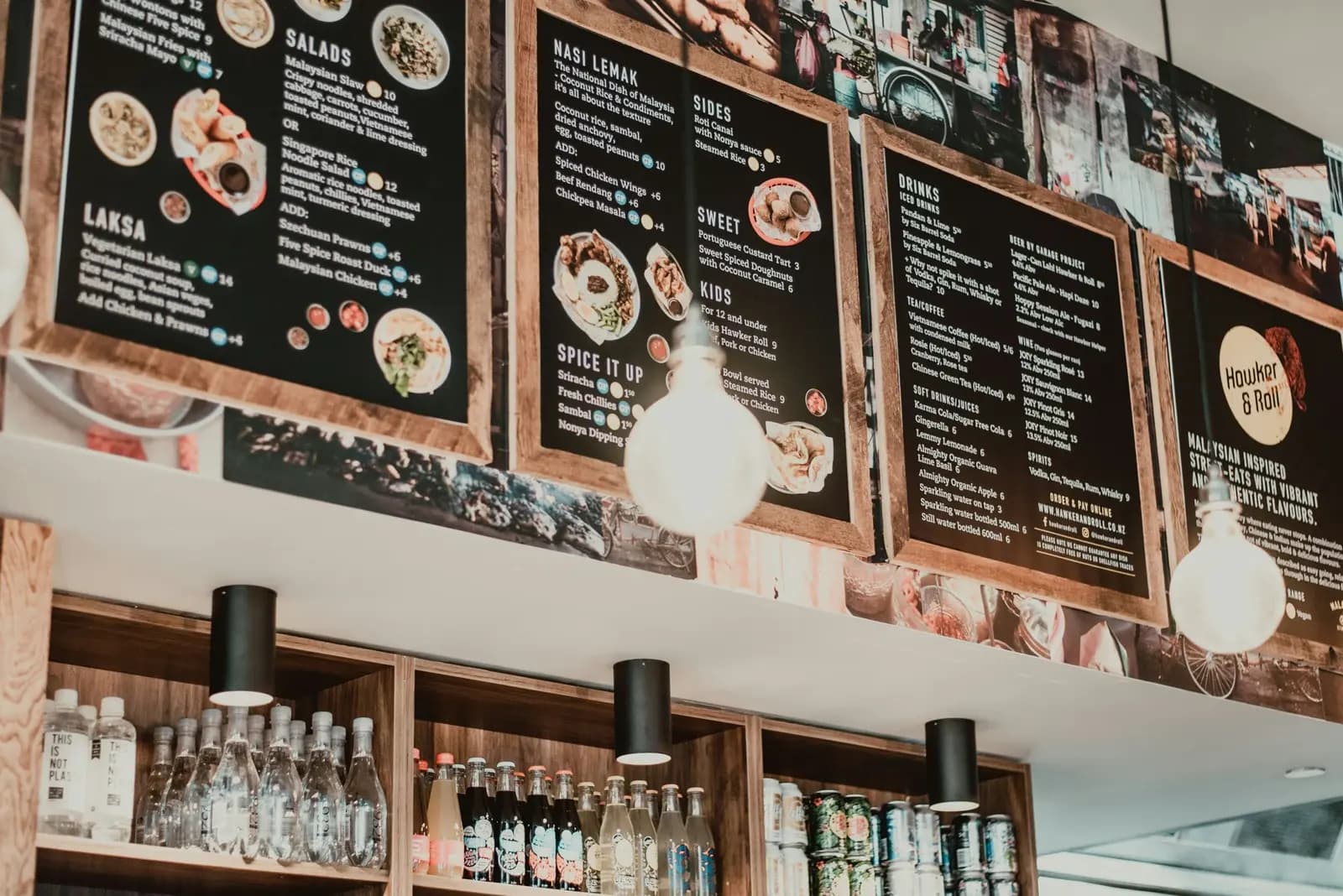
A digital menu board is a screen that shows your menu, prices and offers in your venue, in place of a printed board. A one-screen setup costs roughly $400 to $1,640 over three years, and most of that is hardware. If guests sit at tables, a QR code menu on their own phones does the same job for much less. This guide covers hardware costs, software prices from vendor pages (October 2026), a 3-year cost table and when each option wins.
Key Takeaways
- Hardware is the big cost. A commercial 43-inch display is listed at $830 on Samsung's US site. Signage player boxes list from $99.99 to $799 at OptiSigns.
- Software is cheap per screen. Listed plans run from $0 (single-screen free plans) to $30 per screen per month.
- Boards win in fast, counter-based service. Think quick-service restaurants and drive-thru.
- Phones win at tables. A QR menu needs no screen, and edits go live at once.
- Hybrid is common. A menu is a web page, so any device with a browser can show it.
Table of Contents
1. What a digital menu board is
A digital menu board is a display, a small computer (the media player) and software. The software holds your menu content. The player sends it to the screen. You change items and prices from a web dashboard, not with a ladder and printed sheets.
Searches for "menu board", "digital menu" and "digital restaurant menu" mix two different things:
- Menu boards: screens on a wall that every guest sees.
- Digital menus: menus guests open on their own phone or a table tablet.
Both replace paper. They cost very differently. Our guide to stopping paper menu reprints covers the paper side of the cost.
2. Hardware cost: displays, players and mounts
Each screen needs three things. Prices below are examples. Your local prices will differ.
- Display. Commercial displays are built for signage and long daily use. Samsung's US site lists a 43-inch QMC series commercial display at $830.00 (as of October 2026). A consumer TV costs less. Our TCO table uses an assumed $300 for a consumer TV. That figure is an assumption, not a quote.
- Media player. OptiSigns lists three players: OptiStick at $99.99 ("fits behind TV"), Pro Player at $349 and ProMax Player at $799, both for "commercial, industrial reliability". Yodeck states its annual plans include a free Yodeck Player or a saving of $20 to $70 per screen if you bring your own device (Yodeck pricing). The budget row uses $0 for the player because of that free Yodeck Player on annual plans. A basic streaming stick is an assumed $40, used only in the free-software case below.
- Mount and cables. Assumed $60 per screen. Add installation labor if you hire it.
Also think about heat, steam and glare. A screen behind a grill station needs a rated display and a safe mount. That raises the cost.
3. Software: digital menu board plans compared
Prices are per screen, per month, in USD, from each vendor's pricing page in October 2026. Vendors change prices, so check before you buy.
| Vendor | Free plan | Entry paid plan | Notes |
|---|---|---|---|
| OptiSigns | Yes: up to 3 supported screens, 25 basic apps, 1GB, OptiSigns logo on screen | Standard $10 monthly or $9 billed annually | Pro $12.50 ($11.25 annual). Enterprise needs 25+ screens. |
| Yodeck | Yes: 1 screen | Basic $8 | Premium $12, Enterprise $16. Free player on annual plans. |
| ScreenCloud | 14-day trial, no card | Core $20 (billed annually) | Pro $30. Hardware terms vary by plan. |
| Raydiant | Not listed | Not listed | Its pricing page redirected to another site when I checked, so I could not verify it. |
Fair note: for one screen, signage software can be free. Yodeck and OptiSigns both list free tiers. The free tiers have limits, such as a logo on screen (OptiSigns) or a single screen (Yodeck). Paid plans add more screens, more apps and support.
Menu-specific features, like linking prices to a POS, are not in these tables. Ask each vendor for a demo.
4. Three-year cost for 1 to 3 screens
This table shows a cost estimate, not a quote. It mixes verified list prices with clearly marked assumptions.
Assumptions:
- 36 months, USD, no tax, no installation labor, no electricity, no hardware replacement.
- Software at annual-billing list prices from the table above.
- Mount and cables: $60 per screen (assumed). Consumer TV: $300 (assumed). Streaming stick: $40 (assumed, used only for the Yodeck free-plan case). Yodeck annual plans include a free player, so the budget row uses $0 for the player.
- Commercial display: $830 (Samsung US listing).
| Setup (per screen) | Per-screen math (3 years) | 1 screen | 2 screens | 3 screens |
|---|---|---|---|---|
| Budget: consumer TV, Yodeck Basic with its free player | $300 + $0 + $60 + ($8 x 36 = $288) | $648 | $1,296 | $1,944 |
| Mid: commercial display, OptiStick, OptiSigns Standard | $830 + $99.99 + $60 + ($9 x 36 = $324) | $1,314 | $2,628 | $3,942 |
| High: commercial display, OptiSigns Pro Player, OptiSigns Pro | $830 + $349 + $60 + ($11.25 x 36 = $405) | $1,644 | $3,288 | $4,932 |
| QR menu on guests' phones | No screen. Free plan $0, or a paid plan (see pricing). Printed QR stands: your cost. | $0 + print | $0 + print | $0 + print |
Two points. First, a QR menu cost does not grow with screens, because guests bring the screen. Second, the budget setup can drop lower: a single screen on Yodeck's free plan removes the $288 software line. The free plan does not list a free player, so add the assumed $40 stick: a single-screen setup then costs about $400.
For software-only price comparison of QR menu tools, read our QR menu software pricing comparison.
5. When digital menu boards make sense
Screens pay off when many people decide at the same time, in the same place.
- Quick-service restaurants and counters. Guests stand in a queue and look up. A board sets the menu for everyone at once.
- Drive-thru. Drivers cannot scan a code. A board is the standard answer.
- Food courts, cinemas and canteens. High traffic, quick choices, frequent promotions.
- Daypart changes. Breakfast, lunch and dinner menus can switch on a schedule, if the software supports it.
- Brand impact. A large, well-lit board adds to the look of a venue.
Honest limit: a board shows one menu to everyone. It cannot translate per guest, filter allergens per guest or show a long menu in detail.
6. When a QR or web menu does the job
If guests sit at a table, they already hold a screen. A QR menu uses that screen. See our digital menu page for how it works.
- Cafes, bars and sit-down restaurants. Guests read at their own pace.
- Long menus. A phone shows categories, photos and descriptions that do not fit on a wall board.
- Several languages. One menu, many languages. QR Menu Generator offers AI translation on Pro.
- Allergens. Dish tags and a diner-side filter (on Pro). The business enters the data and stays responsible for its accuracy.
- Fast changes. Edit a price or hide a sold-out dish, and it shows at once. See how to update seasonal menus without printing.
Honest limit: a QR menu needs guests to use a phone, and the venue needs a clear QR code on every table. It does not attract walk-in customers from the street the way a lit board does.
Prefer a tablet at the table or a staff tablet? Our guide to digital menu solutions for tablets and mobile compares those routes.
7. The hybrid: any device with a browser
A QR menu is a web page. Any device with a browser can open it. That gives you low-cost combinations:
- Phones at tables. The main menu. Scan, read, order from staff.
- A TV or stick near the entrance. Open the menu link in its browser to show the menu on a wall. This is a simple display, not a signage system. It has no scheduling or playlists.
- A cheap tablet at the counter. Open the same link for guests who do not want to scan.
- A small printed card. Signature dishes plus the QR code.
You edit one menu in one dashboard. Every device shows the new version. If you later need drive-thru or timed promotions, add a signage tool for those screens only.
QR Menu Generator's free plan covers 1 restaurant, 10 categories and 30 products, and it shows ads on your menu (pricing page). Paid Pro and Pro Plus plans lift the limits. There is a 14-day money-back guarantee. You can see a live demo first.
Try the cheaper alternative first
Build your digital menu on the free plan: 1 restaurant, 10 categories and 30 products. Allergen tags and AI translation are on Pro. Open it on phones, a TV browser or a tablet. Create your free menu.
Sources (read in October 2026): OptiSigns pricing, OptiSigns hardware, Yodeck pricing, ScreenCloud pricing, Samsung QMC 43-inch. Consumer TV, stick and mount prices are our assumptions.
Cover photo by Foo Visuals on Unsplash.
Frequently Asked Questions
- How much does a digital menu board cost?
- Plan for hardware plus a monthly software fee per screen. In our example, one screen costs about $400 to $1,640 over three years, depending on the display and software. Hardware is the main cost. See the table in this guide for the assumptions.
- Do I need a commercial display for a digital menu board?
- Not always, but a commercial display is built for longer daily use. A consumer TV costs less and can work for a small cafe. Check the spec sheet for rated hours per day before you buy.
- Can I run a digital menu board for free?
- The software can be free for one screen. Yodeck lists a free plan for a single screen, and OptiSigns lists a free plan for up to 3 supported screen types with its logo on screen. You still pay for the display and player.
- What is the difference between a digital menu board and a digital menu?
- A digital menu board is a screen on the wall that shows your menu to everyone in the room. A digital menu is a menu guests open on their own phone, usually through a QR code. Many venues use both.
- Can a QR menu replace a digital menu board?
- For table service, often yes. Guests read the menu on their phones, and you edit it in a dashboard. For fast counter or drive-thru ordering, a screen above the counter still helps, because people decide while they queue.
- Can I show my QR menu on a TV?
- The menu is a web page, so you can open its link in the browser of a smart TV or a streaming stick. This works as a simple display. It has no signage features like scheduling or playlists, so use a signage tool if you need those.
About the author
Evrenus Fırat Polat
Restaurant technology expert and founder of QR Menu Generator. Passionate about helping restaurant owners harness digital tools to grow their business.