Why You Should Switch from PDF to QR Code Menus
In the rapidly evolving hospitality industry, the way you present your food is almost as important as the food itself. For years, restaurants have relied on static files uploaded to the cloud, but today, we are going to discuss Why You Should Switch from PDF to QR Code Menus.
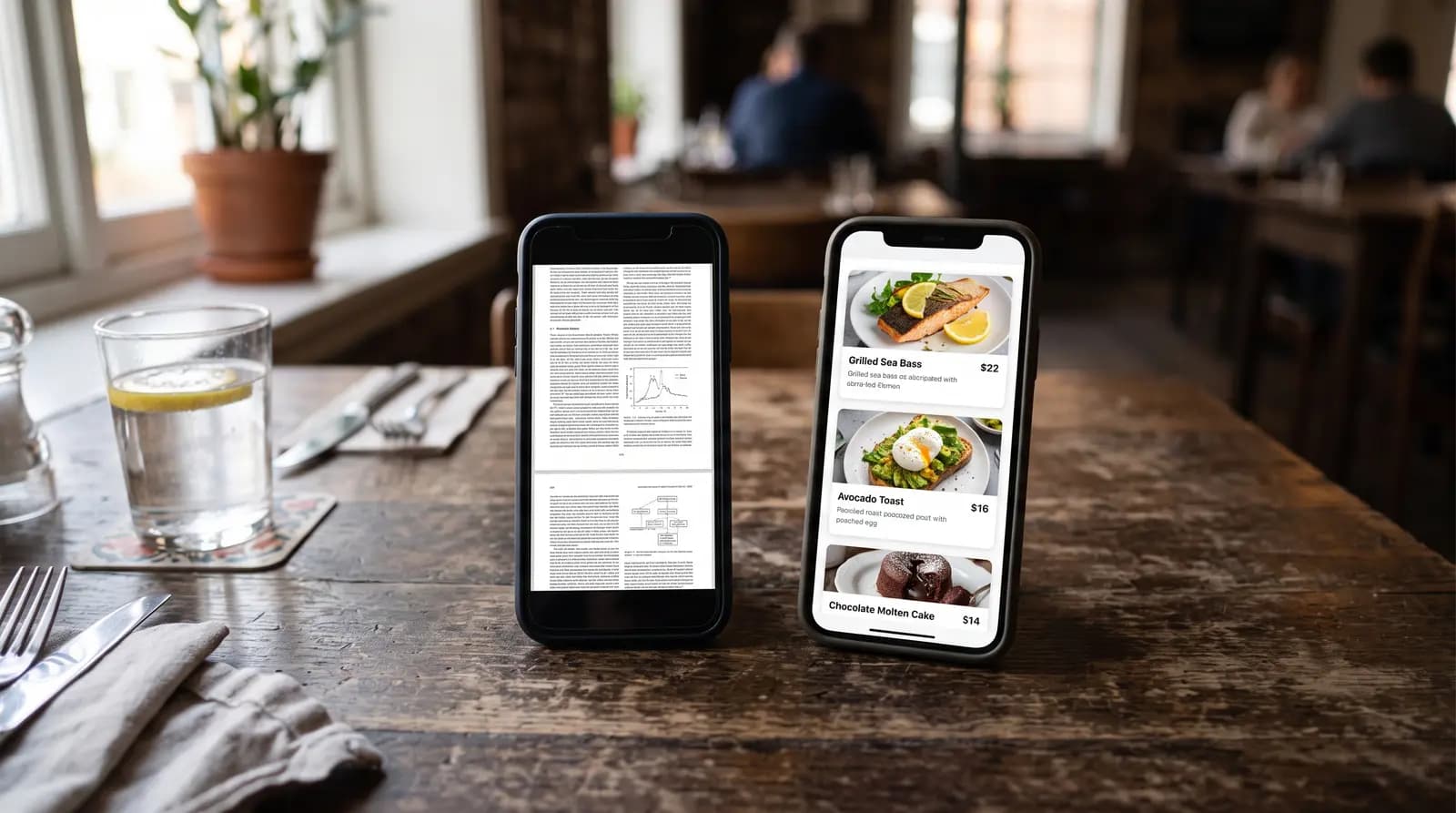
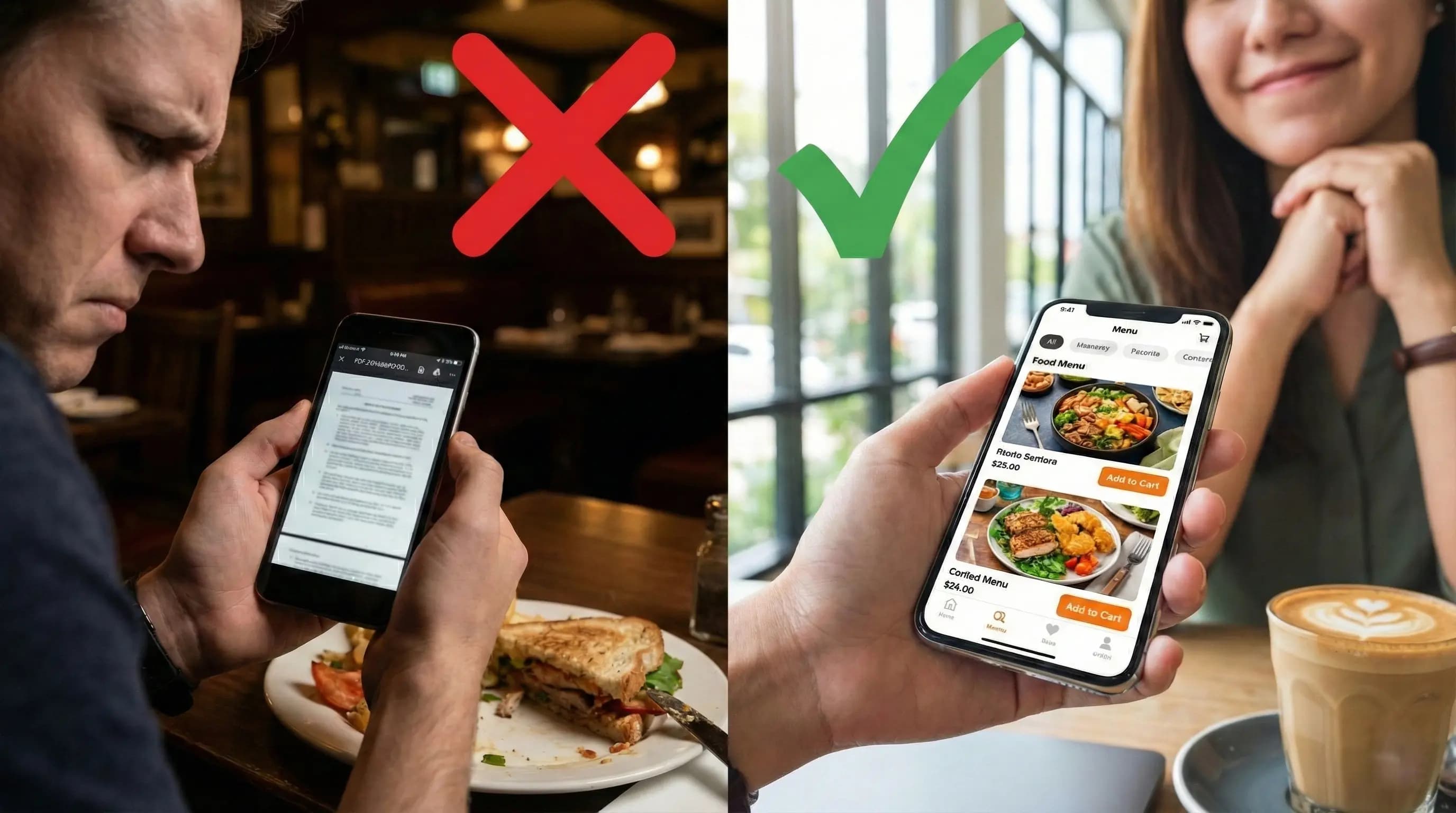
Have you ever scanned a QR code at a restaurant, only to be forced to download a massive 20MB PDF file? Then, you find yourself pinching and zooming on your smartphone screen, trying to read tiny text in a dim environment. It is a frustrating experience that kills appetite and slows down table turnover.
The solution lies in interactive, HTML-based digital menus. These are not just digital photocopies of your paper menu; they are dynamic, mobile-first web pages designed for the modern diner. In this comprehensive guide, we will explore the critical reasons to upgrade your system today.
Table of Contents
The Problem with Static PDF Menus
Before we dive into the solution, we must understand the problem. A PDF (Portable Document Format) was designed for printing, not for mobile browsing. When you use a PDF as your digital menu, you are essentially forcing a desktop experience onto a mobile screen.
Key frustrations for customers include:
- Download Data: PDFs can be heavy files, consuming customer data and taking a long time to load in areas with poor signal.
- Navigation Issues: There is no search bar, no clickable categories, and no filtering for allergens.
- Readability: Text requires constant zooming and panning (scrolling left and right), which is unnatural on a phone.
What is an Interactive QR Menu?
An interactive QR menu is a dedicated mobile website. When a customer scans the code, they are taken to a responsive web page where items are categorized, searchable, and formatted specifically for the device they are holding.
Tools like the QR Menu Generator allow restaurateurs to build these menus without any coding knowledge, creating a seamless bridge between the kitchen and the customer.
1. Mobile Responsiveness and UX
The primary reason Why You Should Switch from PDF to QR Code Menus is User Experience (UX). A digital menu adapts to the screen size. Fonts are legible without zooming, and buttons are large enough to tap easily.
Consider the accessibility aspect. Interactive menus can easily work with screen readers for visually impaired customers, whereas image-based PDFs are often unreadable by assistive technology. By switching, you make your restaurant inclusive for everyone.
2. Real-Time Updates and Dynamic Pricing
Inflation is a reality for every business owner. With a PDF menu, changing the price of a single burger means editing the master file, exporting it again, re-uploading it to your server, and generating a new link (or updating the file behind the existing link).
With a digital menu system:
- You log into your dashboard.
- You edit the price.
- You click save.
The change is instant. This flexibility is crucial for managing stock availability as well. Did you run out of fresh salmon? You can hide the item instantly with a toggle switch, preventing awkward conversations where waiters have to apologize to customers after they have already ordered.
3. Visual Appeal and Upselling
We eat with our eyes first. PDF menus are often text-heavy lists. Interactive menus allow you to attach high-quality, vibrant images to every single item. A study by Deliveroo suggested that menus with good photography can see conversion rates increase by up to 25%.
Furthermore, digital menus enable strategic upselling. When a customer selects a steak, the system can automatically suggest a pairing wine or a side of truffle fries. This automated suggestion engine works tirelessly to increase your average ticket size, something a static PDF simply cannot do.
4. Speed and Performance
Speed is currency in the digital age. Amazon found that every 100ms of latency cost them 1% in sales. The same logic applies to hungry diners. If your 15MB PDF takes 30 seconds to download on a 3G connection, you might lose the customer to the restaurant next door.
Interactive menus created with a robust QR Menu Generator are optimized for web performance. They load the skeleton of the page instantly and lazy-load images as the user scrolls, ensuring the menu feels snappy and responsive immediately.
5. Marketing and Data Analytics
One of the most overlooked reasons Why You Should Switch from PDF to QR Code Menus is data. A PDF is a black box. You have no idea which items people are looking at but not ordering.
Digital menus provide actionable insights:
- Which categories are viewed the most?
- What is the most popular item?
- At what time of day is the menu scanned most frequently?
This data allows you to optimize your menu engineering, placing high-margin items in the most viewed spots.
Comparison: PDF vs. Digital Menus
| Feature | Static PDF Menu | Interactive Digital Menu |
|---|---|---|
| Mobile Optimization | Poor (Requires Zoom) | Excellent (Responsive) |
| Loading Speed | Slow (Heavy file size) | Fast (Lazy loading) |
| Updates | Difficult (Re-upload required) | Instant (Real-time) |
| Searchability | None | Full Search & Filters |
| Photos | Limited space | Unlimited photos/galleries |
| Analytics | Download count only | Detailed item views |
How to Make the Switch
Transitioning from a PDF to a digital format is easier than you might think. You do not need to hire a web developer or spend thousands of dollars.
Step 1: Digitize Your Menu Items
Gather your list of items, descriptions, prices, and photos. High-quality photos are recommended but stock images can work as placeholders.
Step 2: Choose a Platform
Select a platform that specializes in digital menus. Look for features like category management, allergen filtering, and customization options that match your brand colors.
Step 3: Generate and Print
Once your menu is built, the system will generate a unique QR code. Print this code and place it on your tables. You can use platforms like QR Menu Generator to handle this entire process efficiently.
Conclusion
The era of the PDF menu was a necessary stopgap during the pandemic, but the industry has moved on. The benefits of interactivity, speed, data, and user experience make the switch a no-brainer for any modern restaurant.
By understanding Why You Should Switch from PDF to QR Code Menus, you are prioritizing your customer's convenience and your business's efficiency. Don't let a clumsy PDF stand between your customers and your food.
Ready to Upgrade Your Menu Experience?
Stop using outdated PDFs and start increasing your sales with a fully interactive digital menu today.
Frequently Asked Questions
- Is it expensive to switch from PDF to a digital QR menu?
- Not at all. Many platforms offer free tiers or affordable monthly subscriptions that cost less than printing paper menus.
- Do customers need to download an app to view the digital menu?
- No. A true digital QR menu opens directly in the phone's web browser (like Chrome or Safari) instantly after scanning.
- Can I update my prices instantly with a QR code menu?
- Yes, unlike PDFs which require re-uploading, digital menus allow you to edit prices in a dashboard and updates appear instantly for customers.
- Why is a PDF menu bad for SEO?
- PDFs are often image-heavy and lack structured data. Interactive HTML menus can be indexed by Google, helping your restaurant appear in local search results for specific dishes.
About the author
Evrenus Fırat Polat
Restaurant technology expert and founder of QR Menu Generator. Passionate about helping restaurant owners harness digital tools to grow their business.